
You can check VPS specifications such as RAM, disk space, virtualization, IP Address, etc., from the SolusVM Control Panel.
1. Log in to your SolusVM Control Panel.
2. If you have multiple VPSs, select the appropriate one.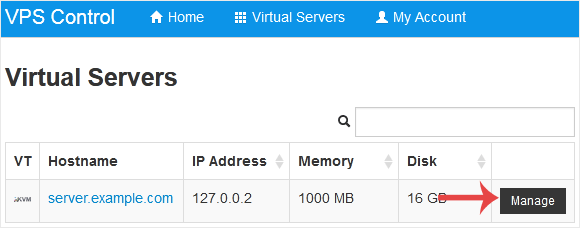
3. Under the VPS hostname, you can see VPS specifications like the IP address of the VPS, the operating system's disk size, the amount of available RAM, etc.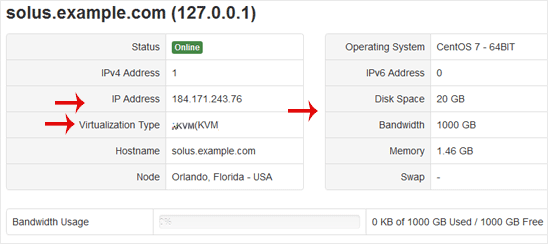
İlgili diğer dökümanlar
How to Log in to SolusVM Control Panel
You can find the Control Panel URL, Username and Password in your VPS welcome...
How to Enable or Disable the SolusVM VPS Login Alert
Whenever you log in to your VPS control panel, you will receive a login email...
How to Change the SolusVM Control Panel Password
If you can access your SolusVM VPS control panel, you can easily change your...
How to Change the SolusVM Account Email Address
If you want to update your SolusVM VPS Control panel email address, follow...
How to Check Whether the VPS Status is "online" or "offline" in SolusVM
You can check your SolusVM VPS status and determine whether the VPS is...