
Virtualizor allows you to enable or disable VNC, APIC, and ACPI.
1. Log in to your Virtualizor Control Panel.
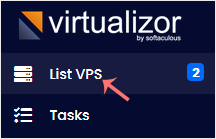
2. From the left side panel, click on List VPS.
3. Hover your mouse on the appropriate VPS, and that line will be highlighted. Then click on the Manage icon in the highlighted line.

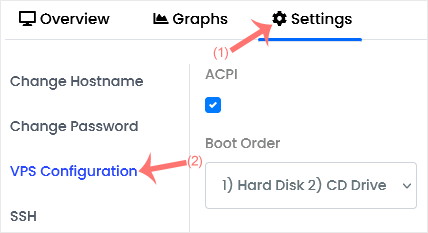
4. Click on the Settings tab and select the VPS Configuration.
5. Under the VPS Configuration option, should you want to enable VNC, tick mark VNC. You can do the same with ACPI and APIC.
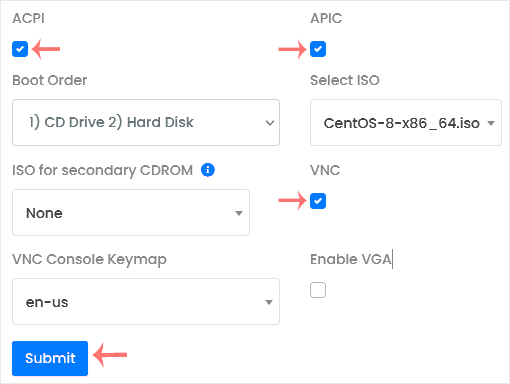
6. After making the changes, click Submit and reboot your VPS.
İlgili diğer dökümanlar
How to Change Hostname in Virtualizor
You can change the hostname in Virtualizor. 1. Log in to your...
How to Change the VNC Password in Virtualizor
You can change the VNC password using Virtualizor. 1. Log in to your...
How to Edit the Self-Shutdown Timer in Virtualizor
You can easily edit the self-shutdown timer in Virtualizor. Please, follow...
How to Delete the Self-Shutdown Timer in Virtualizor
You can remove the self-shutdown timer in Virtualizor. Please, follow the...
How to Start VPS in Rescue Mode Using Virtualizer
Rescue mode can be used for data recovery, OS repair, etc. You can enable...